
One UI 7 (Android 15) Update: Full Breakdown of Features, Rollout & Galaxy AI Tools

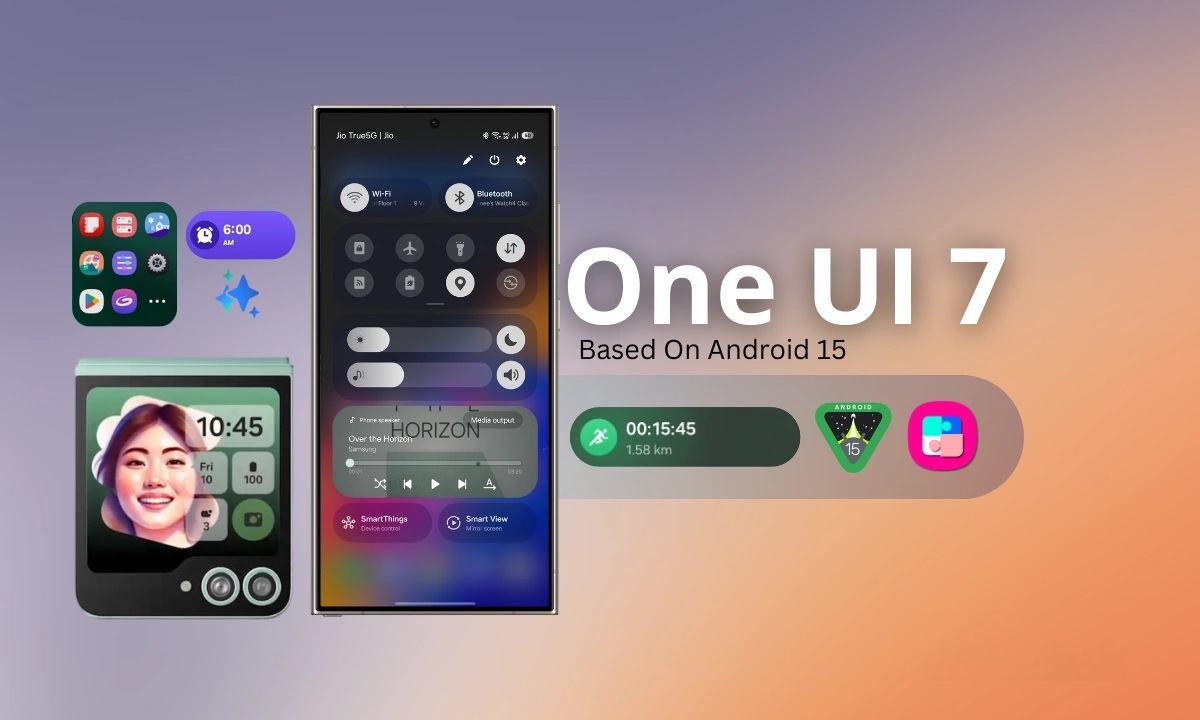
Samsung officially began rolling out One UI 7, its latest software experience built on Android 15, starting April 7, 2025. The update debuted with the Galaxy S25 series (pre-installed) and is gradually reaching other devices including the Galaxy S24, Z Fold 6, Z Flip 6, S23/S22, Fold/Flip 5, Tab S9/S10, A-series, M-series, and Tab A models across regions like Korea, the USA, Europe, India, and more. Packed with a redesigned interface, enhanced security, and advanced Galaxy AI features, One UI 7 delivers a smarter, faster, and more intuitive experience across Samsung’s ecosystem.
| Key Features of One UI 7 (Android 15) | What’s New in One UI 7 (Android 15) |
|---|---|
| Visual & UX | Redesigned icons, curved menus, blur effects, smoother animations |
| Lock Screen | Now Bar live panel, new clock styles, more widgets, split swipe for Notifications vs. Quick Settings |
| Home & App Drawer | Vertical app drawer, fixed 4×6 or 5×6 layout, customizable icon size and labels |
| Widgets & Folders | Resizable widgets, folder color themes, consistent widget styling |
| Camera & Video | 2× Zoom button, Pro/Log video, motion-photo effects, object/audio eraser, audio playback while recording |
| Galaxy AI Tools | Writing Assist, Drawing Assist, Call Summaries, Audio Eraser, Instant Slow-Mo, Now Brief, AI-Select |
| Multitasking & Routines | Stacked popups, grouped alarms, improved file picker, AI-powered routines |
| Privacy & Security | Knox Matrix, Auto Blocker, Private Space, Theft Protection, USB lock |
| Battery & Charging | Charging cap (80–95%), new charging UI, advanced power-saving controls |
| Accessibility | One-finger zoom, better touch controls, scroll customization |
| Gaming & Media | Game Booster redesign, per-game tuning, restart video in media player |
| Satellite Support | Android 15 satellite messaging (hardware & carrier-dependent) |
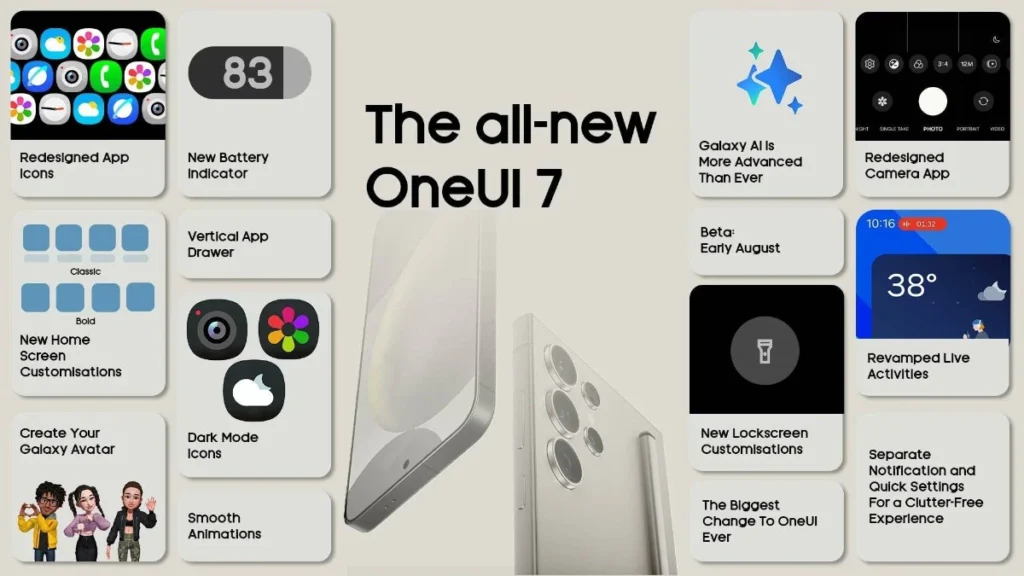
What’s New in One UI 7? Top Features Breakdown
Samsung’s One UI 7 update brings a polished, AI-powered experience to Galaxy devices. Here’s a full list of changes across various categories:
Visual & UI Changes
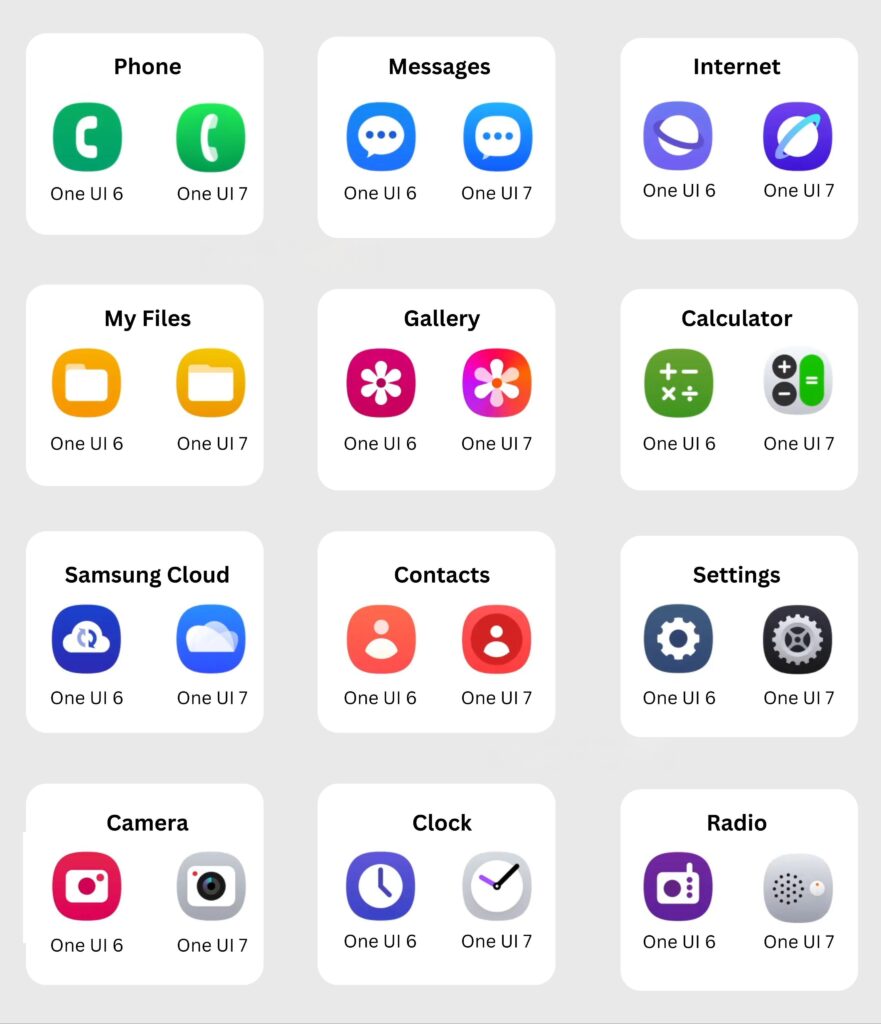
- Modernized icons and rounded menus
- Blur effects and smoother animations
- Polished transitions for a more fluid experience
Lock Screen Improvements
- Now Bar: Live panel showing media, health stats, and timers
- New clock styles and enhanced widget options
- Split swipes: Swipe left for Notifications, right for Quick Settings
Home Screen & App Drawer
- Vertical app drawer for easier access
- Fixed 4×6 or 5×6 grid options
- Customize icon sizes and labels
Widgets & Folder Updates
- Resizable widgets with improved styling
- Folder themes and color customization
- More consistent widget appearance
Camera & Video Enhancements
- Brand-new camera UI layout
- 2x Zoom button for quick access
- Pro & Log video support for creators
- Audio playback while recording
- Motion-photo effects and free-form collage tools
- Object & Audio Eraser features
Galaxy AI Suite (Powered by Gemini)
Samsung’s Galaxy AI tools take productivity and creativity to the next level:
- ✏️ Writing Assist: Grammar, spelling, tone suggestions
- 🎨 Drawing Assist: Turn rough sketches into polished images
- 📞 Call Transcription & Summaries
- 🧠 AI Select: Smart contextual actions (translate, search, etc.)
- 🎬 Instant Slow-Mo: AI-generated slow-motion from regular video
- ✂️ Auto Trim: Automatically edits clips with scene highlights
- 📄 Now Brief: AI-generated daily updates on lock/home screen
- 🧩 Cross-App AI Commands: Use Gemini for voice control across apps
Privacy & Security Upgrades
- Knox Matrix: Advanced threat monitoring
- Auto-Blocker: Blocks 2G/insecure Wi-Fi networks
- Private Space: Isolated area for sensitive data
- USB Access Lock and Theft Protection tools
Battery & Charging Optimizations
- Set charging cap between 80% and 95% for battery health
- Refreshed charging UI
- Advanced power-saving controls with more granular options
Productivity & Multitasking
- Stacked minimized app previews
- Grouped alarms
- Smarter file picker
- Powerful programmable routines
- AI-assisted multi-app workflows
Gaming & Media Enhancements
- Redesigned Game Booster interface
- Per-game performance customization
- “Restart Video” button added to media player
Accessibility Features
- One-finger zoom gesture
- Improved touch sensitivity controls
- Scroll speed and responsiveness customization
Satellite Messaging Support
One UI 7 brings Android 15’s satellite messaging support — enabled once Samsung partners activate it. This feature ensures emergency communication even when cellular coverage is unavailable.
Final Thoughts
One UI 7 is more than just a fresh coat of paint — it’s a complete redesign built around AI, security, and productivity. With enhanced tools for content creation, smarter device control, and more polished visuals, Samsung’s Android 15-based update delivers a premium, futuristic Galaxy experience.
Whether you’re using a flagship like the Galaxy S24 or a mid-range Galaxy A device, One UI 7 brings meaningful upgrades across the board.

nk3enr